
The language field guide / 03
Loop In Meaning: Email Examples and Polite Replies
Add the person. Bring the context. Make the request clear.
Editorial guide ·
Go to worked examples ↓
Loop in meaning in emails and conversations
The workplace loop in meaning is to include someone in a discussion or give them the information they need to participate. “I'll loop Maya in” usually means the speaker will bring Maya into the conversation. It does not, by itself, say that Maya has accepted a task, approved a proposal or read everything that came before.
That distinction matters when a conversation already has a long history. Adding an address to an email can make the messages available, but the new reader may still not know why they are there. A useful introduction supplies the relevant background and a specific reason for including them.
This guide focuses on loop in meaning in workplace messages, not electrical wiring or audio playback. If you arrived from a dictionary result about a wire connection, you found a different sense of similar words. In an email, look for the person being included and the information or request directed to them.
Loop in, in the loop and on a loop
These expressions are related in spelling but do different jobs. Understanding the loop in meaning does not make them interchangeable.
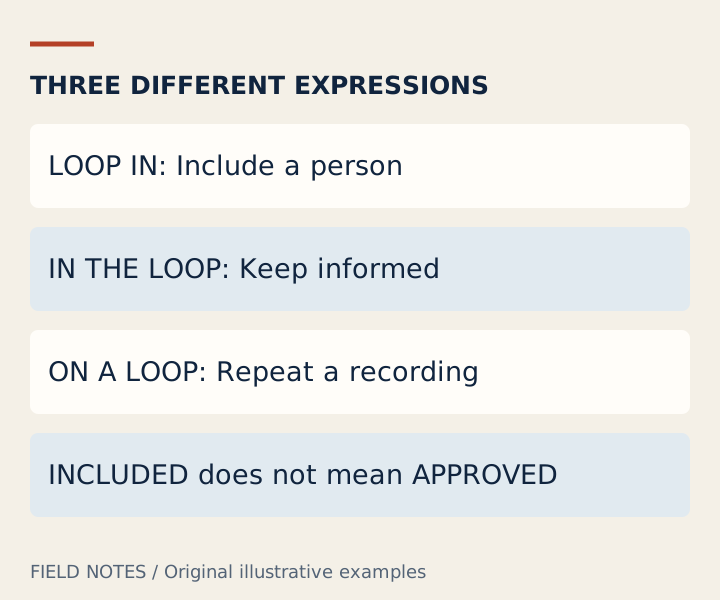
- Loop someone in: take an action to include them. “Please loop the reviewer in before we choose a version.”
- Keep someone in the loop: continue informing them as the situation develops. They may not need to take part in every conversation.
- On a loop: something repeats, such as a recording. It does not describe being informed about a project.
If you are choosing between “on loop” and “in the loop” for a work update, use “in the loop” when you mean informed. For the action, use the phrasal verb with a person: “loop Jordan in” or “loop in the reviewer.” With a pronoun, “loop them in” is a clear standard pattern.
The loop in meaning also differs from closing a discussion. Bringing someone into the conversation is an opening action; communicating an outcome completes a different part of the process. Do not write “looped in” in a task tracker as if it proves the issue was solved.
Three complete introductions and replies
Each fictional example below applies the loop in meaning to a different responsibility. Read the whole exchange, then adapt the facts. A person can be included for advice, ownership or awareness; the message should say which one you mean.
Ask for expertise without assigning ownership
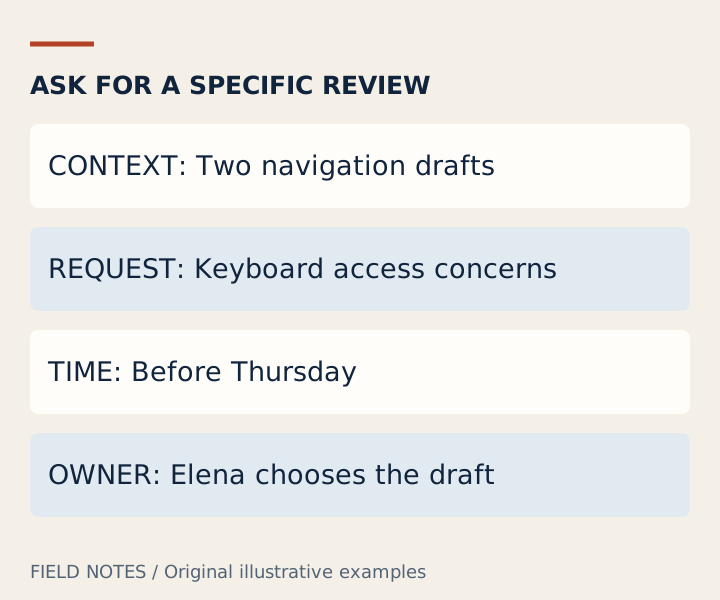
Message: “I'm looping Priya in because she reviewed the accessibility requirements. Priya, we are comparing the two navigation drafts linked below. Could you flag any keyboard access concerns before Thursday? Elena remains responsible for choosing the final draft.”
Reply: “Thanks for the context. I can review the keyboard path tomorrow and reply with the issues I find. I won't be checking the rest of the release requirements.”
The introduction explains the decision in progress, why the person is relevant, what input is requested and who retains ownership. The reply sets a useful review boundary. Neither message claims approval or assumes the reviewer can examine the entire product.
A bare “looping you in” would leave those questions unanswered. The loop in meaning tells Priya why she received the conversation only at a very general level; the rest of the sentence makes participation practical.
Propose a handoff, then confirm it
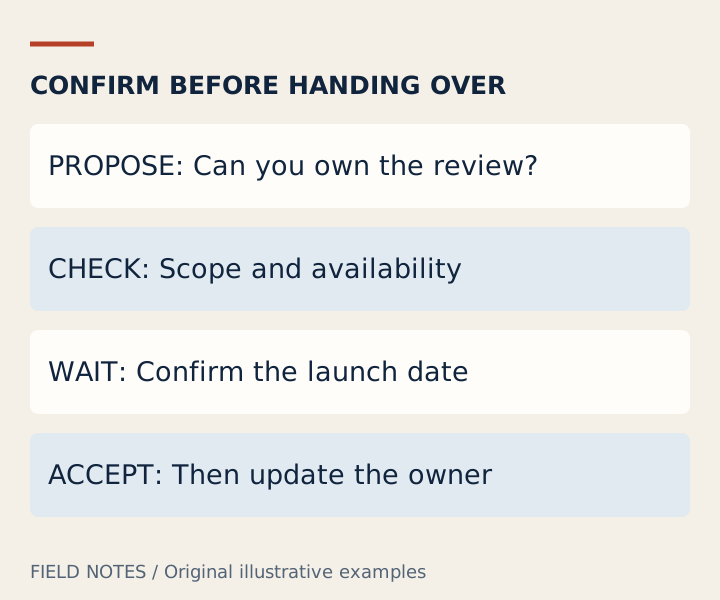
Message: “I'm looping Sam in to discuss the support handoff. The checklist is drafted, but the launch date is not confirmed. Sam, would you be able to own the final review next week? If not, we should agree on another reviewer.”
Reply: “I can take the final review once the launch date is set. Please send the confirmed schedule and the latest checklist. Until then, keep the task with the current owner.”
Here the sender asks rather than declaring an unaccepted transfer. Being copied into a message does not create an agreement. A handoff becomes clear when both sides understand the task, timing, necessary information and ownership change.
When applying loop in meaning to a handoff, keep the invitation separate from acceptance. If the recipient cannot take the task, an accurate status is “reviewer not yet confirmed,” not “handed over.” That difference can prevent the work from quietly falling between two people.
Keep someone informed without asking them to act
Message: “Looping Lee in for visibility. We have moved the review to Tuesday, and the working document is unchanged. No action is needed from you; I'll send the decision after the review.”
Reply: “Thanks for the update. Please keep me informed if the change affects the publication date.”
This is an awareness message, not a request for approval. “No action needed” removes an ambiguity that often accompanies a new email thread. The reply identifies what future change would matter to the recipient without volunteering for unrelated work.
The loop in meaning is compatible with this lighter form of participation. Not everyone who receives an update must join the meeting. Choose the smallest useful information set, especially when the original thread contains personal or confidential details.
Write the context before adding the recipient
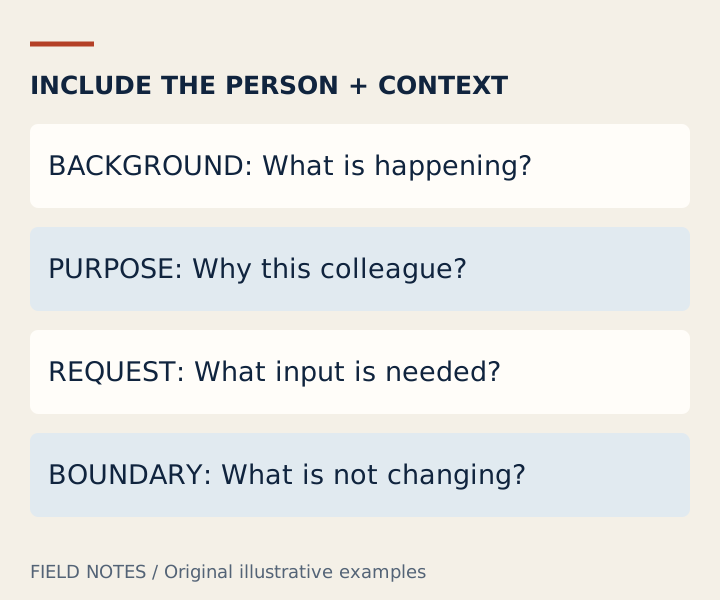
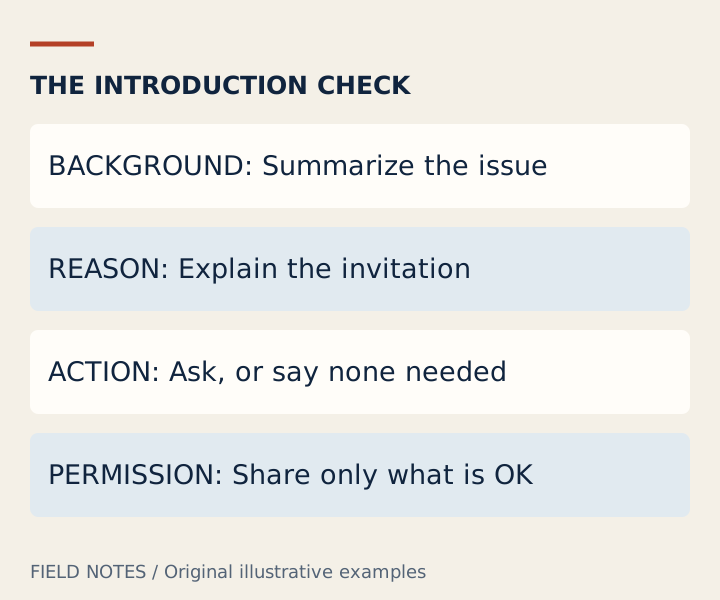
Use four short checks: what is happening, why this person is included, what they need to do, and what remains unchanged. You can usually answer these in a few sentences. If the person needs a document, link the relevant version and verify that they have appropriate access; do not assume a link automatically grants it.
For looping someone in politely, avoid unexplained urgency or an enormous forwarded history. Summarize the key point in your own words and preserve any disagreement that remains. If two options are still open, say so rather than presenting one person's preference as a team decision.
The LinkedIn Speak dictionary provides related workplace phrases. If the next step is moving a crowded discussion into a smaller channel, the take this offline guide explains how to keep a report-back arrangement. Adding a person and moving a conversation are different actions; one may be useful without the other. Afterward, closing the loop means returning the outcome, not merely including another recipient.
Questions about loop in meaning
What is loop in meaning in an email?
It means including a person in the discussion or supplying relevant information. An effective email adds a reason and a clear request, or states that no action is required. The phrase alone does not confirm agreement.
What is a natural looping in synonym?
Try “including,” “bringing into the discussion,” “sharing this with” or “asking for input from.” Choose the expression that fits the actual purpose. “Assigning” is not an equivalent when the recipient has not accepted responsibility.
Does copying a manager mean approval?
No. The loop in meaning does not contain an approval step. If a decision requires approval, request it explicitly and keep the status pending until the authorized person responds. Silence and inclusion are not interchangeable with agreement.
Can I use loop in meaning examples in a LinkedIn message?
Yes. Adapt the same context-purpose-request structure to a direct message you are entitled to send. Do not add private project history just to imitate the example, and do not imply that this website sends or publishes the message for you.
Sources and scope
Definitions are grounded in the sources below. Dialogues and illustrations are original teaching examples, not quotations, customer results or claims about anyone’s intentions. This independent guide does not represent LinkedIn.