
The language field guide / 01
LinkedIn Buzzwords: Meaning and Better Alternatives
Keep the skill. Replace the vague claim. Show the work.
Editorial guide ·
Go to worked examples ↓
What LinkedIn buzzwords do—and what they cannot prove
LinkedIn buzzwords are familiar professional expressions that can communicate an idea quickly but become vague when they replace evidence. Words such as passionate, strategic and innovative are not automatically dishonest. The useful question is whether a reader can tell what you actually do after reading them. A description should identify your work, not merely announce that it is impressive.
This guide treats LinkedIn buzzwords as an editing problem, not a personality test. You can revise your own headline, About section or experience entry without guessing why somebody else uses a phrase. Keep names, qualifications and limits intact. If you helped a team, do not turn that contribution into sole leadership just because the new sentence sounds stronger.
The wider LinkedIn Speak dictionary explains complete workplace expressions. Here the task is narrower: decide which words to keep, which claims need support and which phrases to replace. Those decisions should leave you with usable profile text, even if you never open a rewriting tool.
A small vocabulary of LinkedIn buzzwords
- Passionate: communicates enthusiasm. Add the activity you enjoy or the subject you consistently work on, rather than claiming everyone shares your enthusiasm.
- Strategic: suggests considered choices. Name the choice, constraint or planning responsibility that makes the description useful.
- Results-driven: says outcomes matter. Explain the outcome you were responsible for and whether you have evidence that it changed.
- Innovative: suggests a new approach. Identify what was new in your context; do not imply a global invention without support.
- Team player: suggests cooperation. Show a handoff, shared project or contribution instead of using the label as a substitute for one.
These are examples of LinkedIn buzzwords, not a ranked list of the most popular words this year. A historical platform list can explain how a phrase became familiar; it cannot establish what recruiters currently prefer or guarantee that removing a word improves visibility.
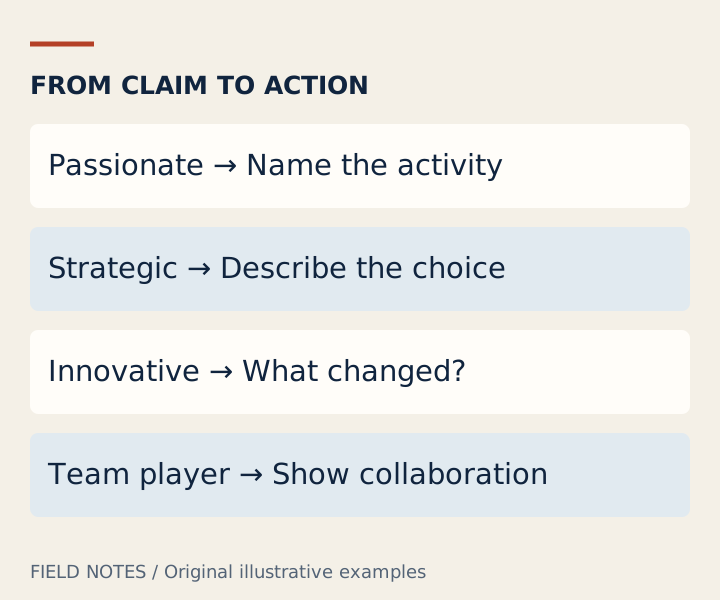
LinkedIn buzzwords: keep, support or replace?
When reviewing LinkedIn buzzwords, use three decisions rather than a blanket banned-word list. Keep a term when it accurately identifies a role, method or skill that your audience needs. Support a claim when you have a concrete example. Replace an expression when it adds no information and the sentence works better without it.
First, underline the actual work in a sentence. “Strategic product designer” names a role but leaves the strategic part unexplained. “Product designer researching checkout problems and planning usability tests” gives a reader something to ask about. The second version does not need to claim a business result you have not measured.
Second, distinguish LinkedIn buzzwords from necessary technical language. “SQL,” “accessibility testing” and an accurately held certification may help the right audience understand your background. Removing those terms to sound conversational could reduce clarity. Explain an unfamiliar specialist term when the audience needs the explanation; do not replace every precise word with a general adjective.
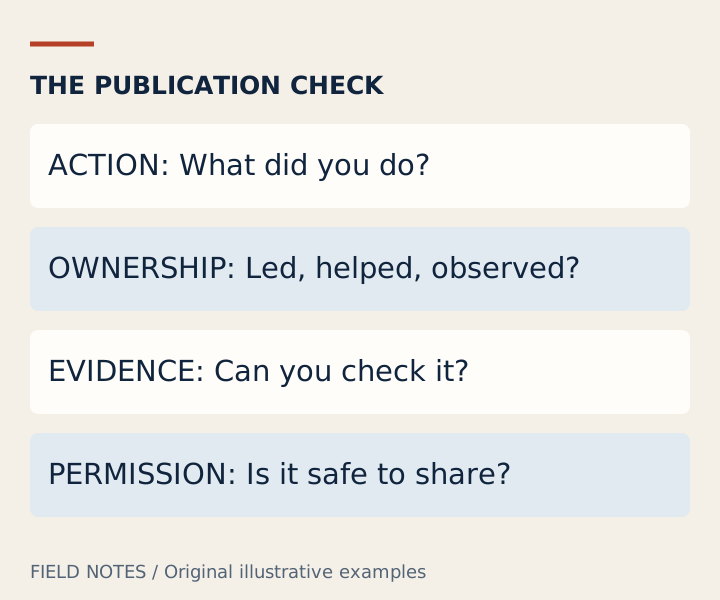
Third, check whether the evidence belongs to you. A company achievement is not automatically an individual achievement. If your team delivered a change, describe your contribution and preserve shared credit. Better writing can make the responsibility clearer without making the claim larger.
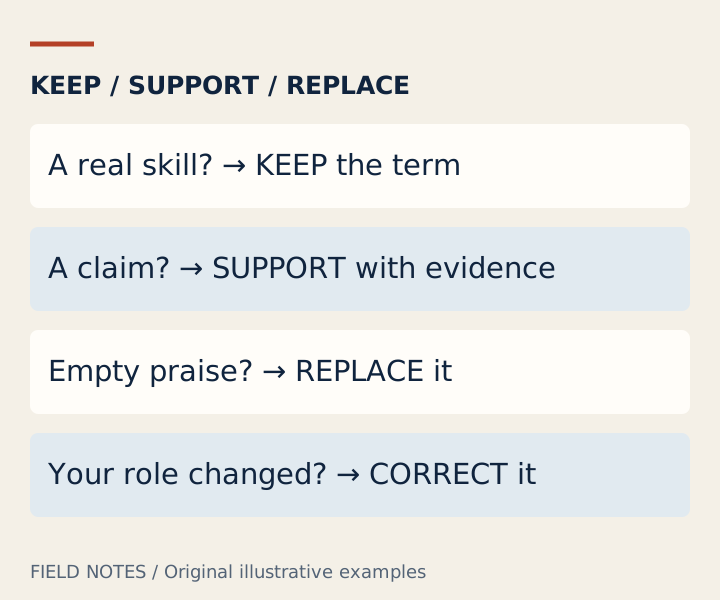
Three profile rewrites you can adapt
All examples below are fictional. Use their structure, not their invented facts. Editing LinkedIn buzzwords is successful when the new sentence says more about the real work while staying within the evidence you possess.
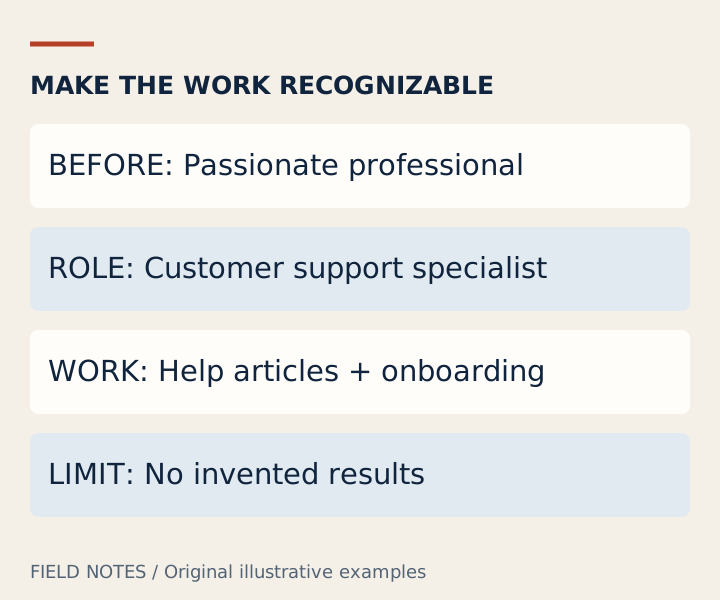
Headline: replace LinkedIn buzzwords with recognizable work
Before: “Passionate, innovative and results-driven professional.”
After: “Customer support specialist writing help articles and improving onboarding instructions.”
The first version could describe many unrelated occupations. The second names a role and two activities without inventing a success rate. If you do not write help articles, replace that activity with your own. LinkedIn headline buzzwords often occupy limited space that could instead explain what someone can work with you on.
For a senior specialist, a recognized technical term may be more useful than a playful slogan. Keep an accurate role title and then add a relevant responsibility. You do not need a dramatic promise, a string of separators or a claim that you are the leading expert in your field.
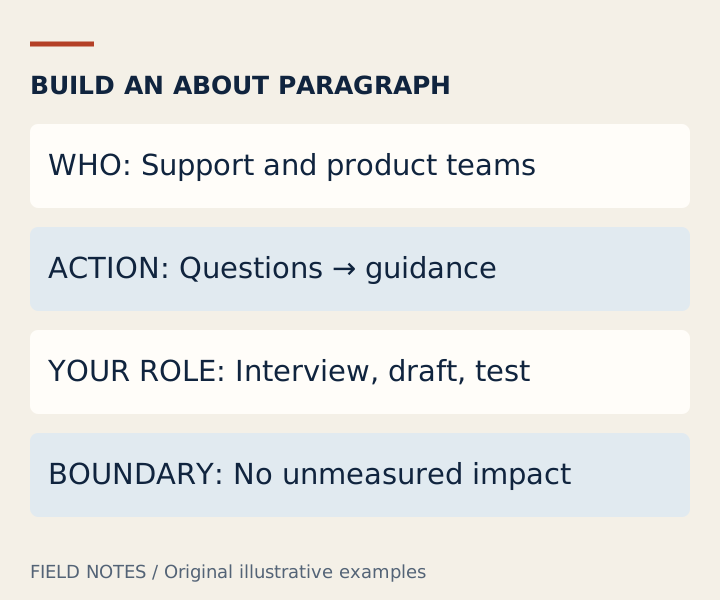
About: turn an adjective into a short account
Before: “I am a strategic team player with a passion for innovation.”
After: “I work with support and product teams to turn recurring questions into clearer setup instructions. My role is to interview colleagues, draft the guidance and test whether a new reader can follow it.”
This revision of LinkedIn buzzwords explains collaborators, activity and responsibility. It does not claim that every reader succeeds or that support volume has fallen. If a verified result exists, add it with its timeframe and scope. If it does not, a specific account of your process is still more informative than an unsupported outcome.
An About section can also preserve enthusiasm. “I enjoy making complicated setup steps easier to explain” is a personal preference, not a performance claim. You do not have to make your profile emotionally flat to make it accurate.
Experience: keep evidence and shared credit together
Before: “Drove game-changing improvements across the organization.”
After: “Drafted the new support handoff checklist with two operations colleagues and tested it during the September pilot.”
This is a useful way to replace LinkedIn buzzwords when the observable evidence is a deliverable and a pilot, not a proven company-wide improvement. If the pilot later produces reliable measurements, describe that result separately. Do not convert participation into ownership or a trial into an established rollout.
LinkedIn profile buzzwords can conceal these distinctions because words like transformed sound complete. Ask what changed, who contributed and how you know. Those questions are more helpful than exchanging one impressive adjective for another.
Check LinkedIn buzzwords against the evidence
Review LinkedIn buzzwords sentence by sentence. For each claim, identify an action, the object of that action and your relationship to the result. Then check the date, the scope and any confidentiality limits. Remove client names or internal figures that you are not allowed to disclose; replacing a name may not make a recognizable project anonymous.
If you have no numbers, do not manufacture them. LinkedIn buzzwords can be replaced with a verified deliverable, a responsibility or an honestly described learning process. “Prepared the migration checklist” is useful when true. “Increased efficiency by 40 percent” is not an improvement if the number has no source.
Read the draft aloud. If the revised sentence sounds unnatural, simplify it without discarding the important qualifier. You can optionally use the professional-style writing tool for another draft, but verify every proposed fact yourself. The guide does not require sending private profile text to an AI service.
Questions about LinkedIn buzzwords
Which LinkedIn buzzwords should I avoid?
Avoid expressions that substitute praise for information in your particular sentence. A list of LinkedIn buzzwords to avoid is a prompt for review, not a rule that every listed word is forbidden. Keep a term when it is accurate and useful, and support claims where the reader needs evidence.
Are overused LinkedIn buzzwords always bad?
No. Familiar language can be efficient among people who share its meaning. The problem is ambiguity or unsupported claims. “Strategic planning” can name a genuine responsibility; “strategic visionary” may leave the reader guessing. Evaluate the complete sentence rather than judging a writer from one word.
Can I use funny LinkedIn buzzwords?
Yes, when the audience understands the joke and the context is appropriate. Do not present parody as a genuine achievement or an endorsement. For a deliberately labeled joke, the parody card maker serves a different purpose from a professional profile.
Is there an official current ranking of LinkedIn buzzwords here?
No. The linked LinkedIn article is a historical 2010 list. This guide offers original editing examples, not current platform-wide frequency data, hiring advice from LinkedIn or a promise about search rankings.
Sources and scope
Definitions are grounded in the sources below. Dialogues and illustrations are original teaching examples, not quotations, customer results or claims about anyone’s intentions. This independent guide does not represent LinkedIn.